
Sub 4 Hour Marathon Pace
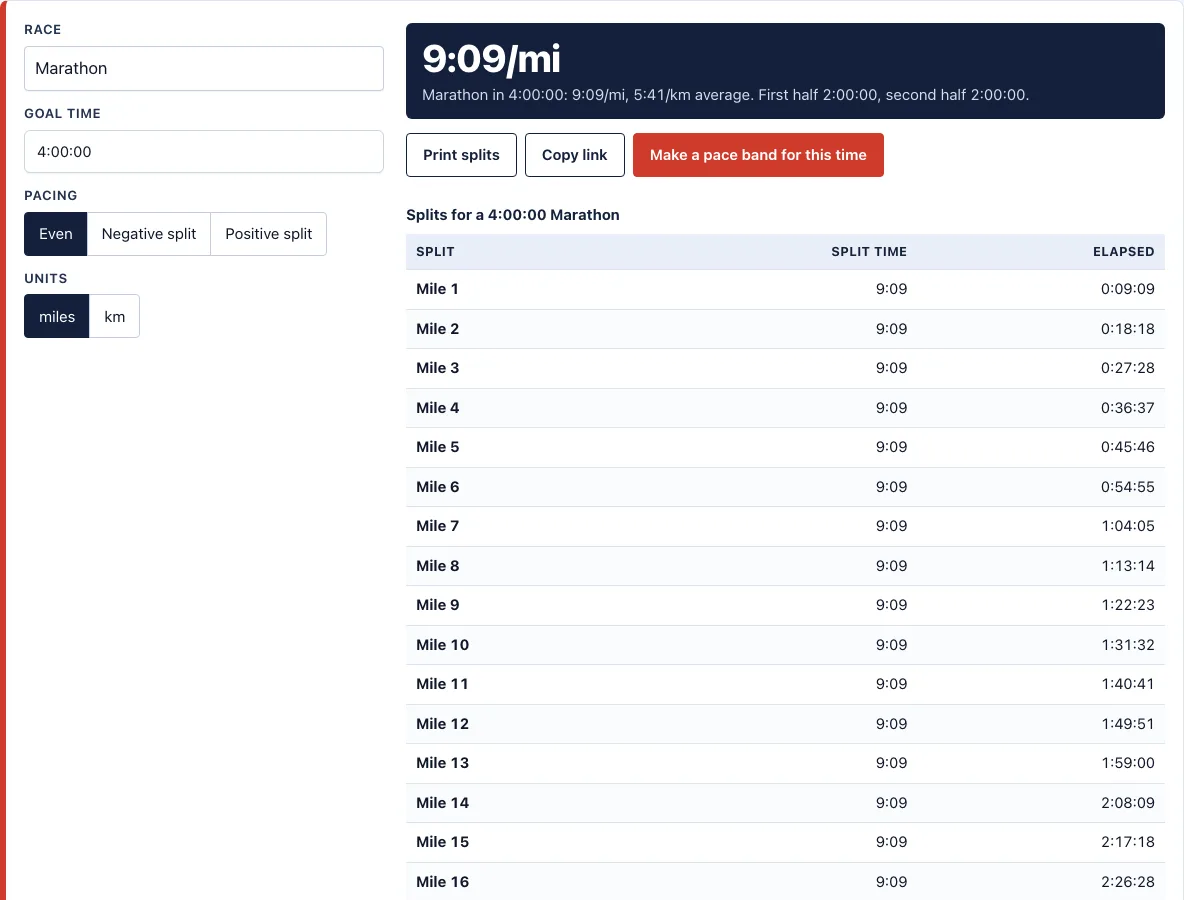
A 4:00:00 marathon is 9:09 per mile or 5:41 per km. Adjust the goal to see your splits.
| Split | Split time | Elapsed |
|---|---|---|
| Mile 1 | 9:09 | 0:09:09 |
| Mile 2 | 9:09 | 0:18:18 |
| Mile 3 | 9:09 | 0:27:28 |
| Mile 4 | 9:09 | 0:36:37 |
| Mile 5 | 9:09 | 0:45:46 |
| Mile 6 | 9:09 | 0:54:55 |
| Mile 7 | 9:09 | 1:04:05 |
| Mile 8 | 9:09 | 1:13:14 |
| Mile 9 | 9:09 | 1:22:23 |
| Mile 10 | 9:09 | 1:31:32 |
| Mile 11 | 9:09 | 1:40:41 |
| Mile 12 | 9:09 | 1:49:51 |
| Mile 13 | 9:09 | 1:59:00 |
| Half way | 1:00 | 2:00:00 |
| Mile 14 | 8:09 | 2:08:09 |
| Mile 15 | 9:09 | 2:17:18 |
| Mile 16 | 9:09 | 2:26:28 |
| Mile 17 | 9:09 | 2:35:37 |
| Mile 18 | 9:09 | 2:44:46 |
| Mile 19 | 9:09 | 2:53:55 |
| Mile 20 | 9:09 | 3:03:05 |
| Mile 21 | 9:09 | 3:12:14 |
| Mile 22 | 9:09 | 3:21:23 |
| Mile 23 | 9:09 | 3:30:32 |
| Mile 24 | 9:09 | 3:39:41 |
| Mile 25 | 9:09 | 3:48:51 |
| Mile 26 | 9:09 | 3:58:00 |
| Finish | 2:00 | 4:00:00 |
Recent
Your last 10 settings, saved only in this browser. Nothing is uploaded.
A sub 4 hour marathon means finishing in under 4:00:00, which requires an average pace faster than 9:09 per mile or 5:41 per km. This free sub 4 hour marathon pace calculator works out that pace for your goal time, then shows half splits and a split table for every mile or km. At an even pace, the halfway mark is 2:00:00 and the 10K split is 0:56:53. The tool runs entirely in your browser, so nothing you type is uploaded or stored on a server, and no account or sign-up is needed.
The calculator is set to a 4:00:00 goal by default, so you can start straight away. You can change the goal time, compare even and negative pacing plans, and see the pace you need at each mile or km marker before race day.
How to use the sub 4 hour marathon pace tool
- Check that Race is set to marathon.
- Check Goal time. It is preset to the page goal of 4:00:00. To aim under it, enter a faster time, such as 3:58:00.
- Choose Pacing: Even, Negative split, or Positive split.
- If you chose a negative or positive split, set Difference between halves (%). For example, 2% makes the second half 2% faster than the first.
- Choose Units: miles or km.
- Read the results: the average pace, the half splits, and the split table, which lists the split time and elapsed time for every mile or km.
Print splits prints the split table. Copy link copies a link that holds your settings, so you can share the exact result or bookmark it. Make a pace band for this time opens the pace band generator for the same goal time. The tables scroll sideways inside their box on small screens.
Choose Even if you want one steady pace for the whole race. Choose Negative split or Positive split to test a plan where the two halves differ, and use Difference between halves (%) to set the gap between them. The split table is the part to keep open during planning, because it gives the elapsed time at each mile or km. Use Print splits when you want a paper copy, and Make a pace band for this time when you want a card to carry.
What pace is a 4 hour marathon?
A 4:00:00 marathon works out to 9:09 per mile or 5:41 per km. The average pace is the total time divided by the distance, so to finish in under four hours, your average pace must be faster than 9:09 per mile. Any average slower than that will not get you under the goal.
Because the pace is an average, it is useful to know your checkpoints as well. At an even pace, a 4:00:00 marathon passes the 10K at 0:56:53, the 30K at 2:50:38, and the halfway point at 2:00:00. If you are behind these times, you need to make up time later in the race.
Should I run even or negative splits?
An even split means you run both halves at the same pace. At a 4:00:00 goal, both halves take 2:00:00. This is the simplest plan to hold because you do not need to change pace during the race.
A negative split means the second half is faster than the first. The tool’s example uses a 2% faster second half: the first half takes 2:01:13 and the second takes 1:58:47, which still totals 4:00:00. The slower start leaves room for error, but you must keep your legs and mind fresh enough to speed up late. A positive split is the reverse, with a slower second half. Set Difference between halves (%) to test any of these plans before you run them. Even splits also make it easy to check progress: at each mile or km, the elapsed time should sit close to the split table value.
What training paces go with a 4:00:00 goal?
For a 4:00:00 goal, the training paces are easy at 10:32 to 11:54 per mile, threshold at 8:30 per mile, and interval at 7:40 per mile. The marathon training plan generator uses your goal time to set marathon pace and threshold pace for each workout. The training pace calculator gives the same kind of paces from any race result.
What half marathon or 10K time matches a 4:00:00 marathon?
Using the Daniels-Gilbert equations, a 4:00:00 marathon matches about a 1:56:06 half marathon and a 52:22 10K. These are estimates of equal fitness, not guaranteed race results, so use them as a rough guide when you set your training.
Frequently asked questions
How do I run a sub 4 hour marathon?
Aim for an average pace faster than 9:09 per mile (5:41 per km) across the whole race. Check the split table to set a target for each mile or km, and compare your time with the 10K and halfway checkpoints. Starting too fast is a common reason runners miss a goal like this.
Can I print a pace band for this time?
Yes. Click Make a pace band for this time to open the pace band generator for your goal time. Print splits prints the split table on its own.
What is the halfway split for a 4:00:00 marathon?
At an even pace, you reach the halfway point at 2:00:00. Use the split table to check each mile or km after halfway, so you know early if you are slipping behind.
What is the 10K split for a 4:00:00 marathon?
At an even pace, the 10K split is 0:56:53, and the 30K split is 2:50:38. Check these marks against your watch to see whether you are on target.
Does the tool use miles or km?
It can show either. The Units setting changes every pace and distance on the page, and your choice is remembered in this browser.
Can I adjust the pace for hills using a GPX file?
Not on this page. This page shows even-pace splits. For a hill-adjusted band, see the Boston Marathon elevation profile and pace band; the RunPacePlan app will build one from your own GPX file for free.
Is this tool free?
Yes. It runs entirely in your browser, nothing you type is uploaded or stored on a server, and no account or sign-up is needed.
Related tools
- Marathon pace chart: Use it to see the pace for many finish times side by side.
- Marathon pace band: Use it to make a band of splits to carry on race day.
- Race pace calculator: Use it to find the pace for a 5K, 10K, half marathon, or marathon.
- Marathon training plan: Use it to build a plan around your goal time.
- Training pace calculator: Use it to set easy, threshold, and interval paces from a goal time.
- Race time predictor: Use it to estimate a marathon time from another race result.
- Sub 3 hour marathon pace: Use it if your goal is a faster marathon under three hours.
- Boston qualifying times: Use it to check the qualifying standards for the Boston Marathon.